For years now we've had to live with
the fact that while FCP projects could travel forwards from one
version to the next, (with varying levels of success) they could
never go back. Yes you could use EDLs and Batch Lists, but it
wasn't easy, and it wasn't enough. XML import and export has
changed all that, and it's now very easy to move an FCP5 project
back to FCP4.5, or even 4.1
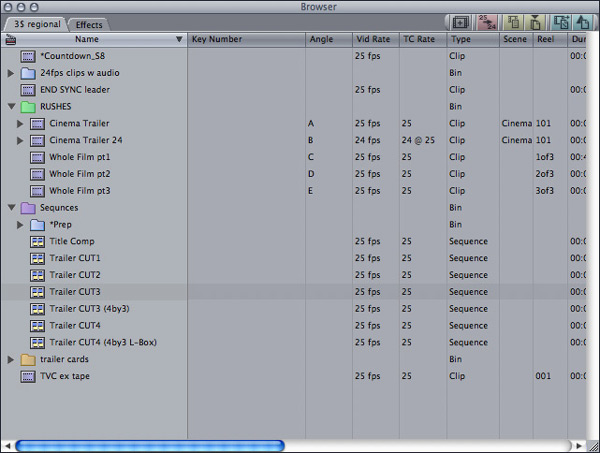
First select what you want / need to
export.
If it's just one sequence, select that, either in the browser,
or by making its open timeline active.
If it's a bin of clips, select that.
If it's your whole project, make the browser active, and make
sure nothing in it is selected.
Now to Export. And there's no
surprises here...
File Menu > Export > XML
_Export-Menu.jpg)
I've got my keyboard mapped to Shift
Apple X (for XML) for XML export,
and I use Shift Apple C for XML import. (it's next to X!)
Buttons are good, too.
When the Export XML window opens,
you'll see that it gives you a summary of what you've selected.
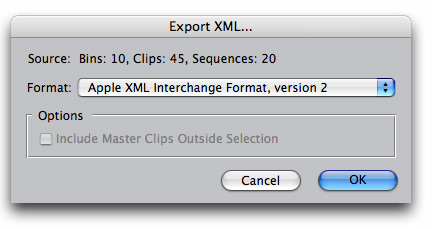
Then it gives you an option for the XML
format you wish to use.
There's a choice between Apple XML Interchange Format, version
1, and Apple XML Interchange Format, version 2, with
Version 2 being the default.
FCP 4.5 only deals with version 1, so to export your FC5 project
for FCP4.5, choose Version 1.
The last item in the window is the option
to Include Master Clips Outside Selection
That's greyed out in my first example, as I had selected the
entire Project, so there are no master clips outside of my selection.
You might use this option if you only
selected a sequence for export, and thought you might as well
get all the rushes along with it.
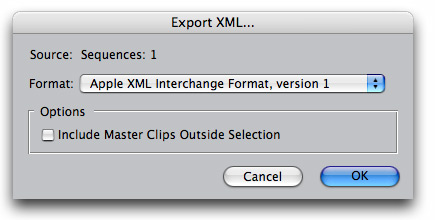
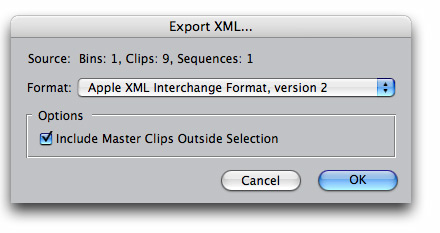
The source summary will update to reflect
your new selection.
Hit OK and save your XML file.
It will adopt the name of your selected bin, sequence, or project.
Re-name it if you need too.
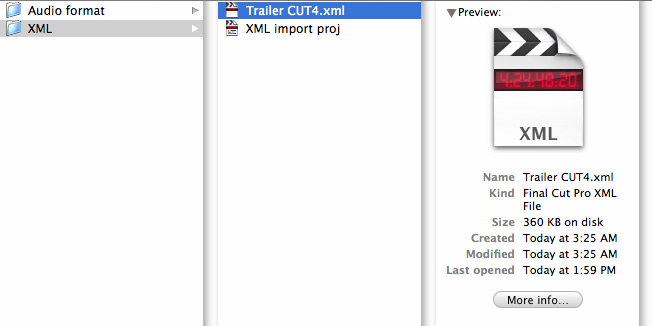
As you can see, the file looks like most
FCP files.
So I added the .xml extension on saving, to make locating
it easier.
As you can also see, I was up late last night.
OK, now to open the project in FCP4.5.
Again, it's just how you think it would be..
File Menu > Import > XML
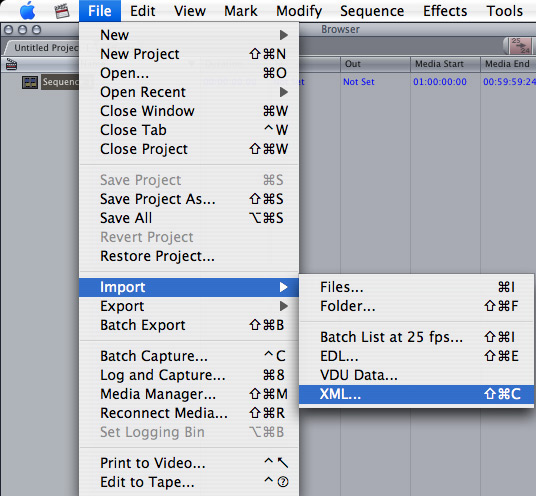
Navigate to the saved xml file, and choose
it.
If you get this warning:
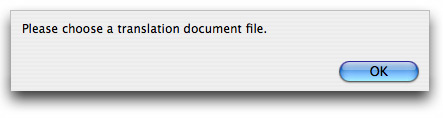
it means you've accidentally made a version
2 xml file, and have to export another one.
So here's what you want to see:
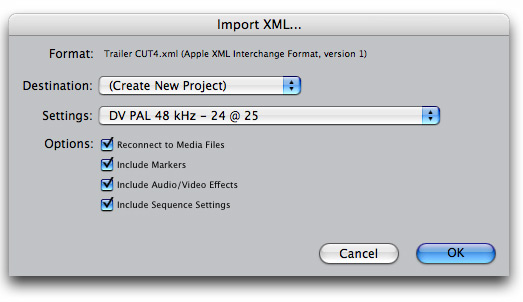
As you can see, in FCP4.5 you have no
options on the import format.
It's version 1 only
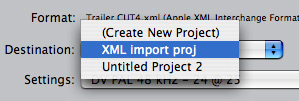
Destination gives you the option of having
the xml file open into a brand new project,
or into any open project
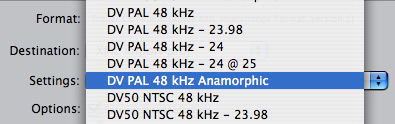
The Settings pulldown allows you
to specify your sequence settings, and is set to whatever is
your current pre-set.
Even though your exported sequence did have its own settings,
you should set this to match.
Frame-rate, codec and aspect ratio cant be changed, but it seems
that pixel aspect and filed order can, so best to get them right.
But the main reason you'd want to specify
new sequence settings can be gleaned from the following options.
- Reconnect to Media Files
- Include Markers
- Include Audio/Video Effects
- Include Sequence Settings
They're all fairly self-explanatory,
and they are all set to on by default.
If I'd been cutting with low-res media
on my Laptop with FCP5,
and then wanted to finish the project on another machine, which
still had FCP4.5
I could set my import settings to the new sequence pre-set,
AND un-tick the "Include Sequence Settings"
option.
All the sequences would be re-set to the new setting
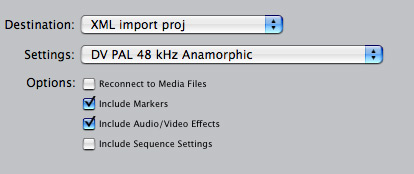
As you can see, I've also un-checked
"Reconnect to Media Files" as I'd want to do
that manually, or re-capture.
Hit OK, and the import starts.
You might get this warning:
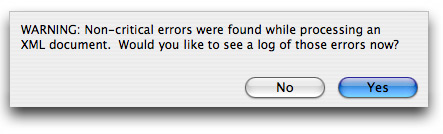
But they're non-critical errors, so don't
panic, and hit Yes, to see the log.
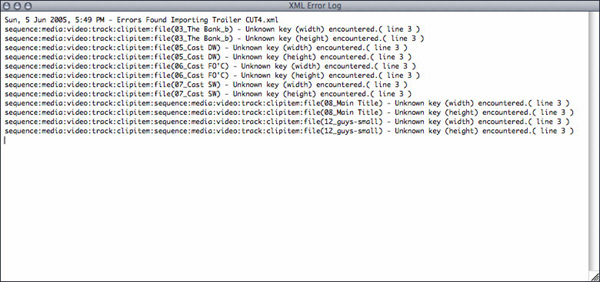
These errors might be because I had high
quality rendering turned on in my FCP5 sequence.
Beats me!
I had some columns open in my FCP5 browser,
which I knew were not available in FCP4.5 (key-number, and angle)
I wanted to see what sort of issues would be thrown up, but it
seems like they're not a problem at all.
Anyway the errors that are there are
non-critical, so lets have a look at the sequence
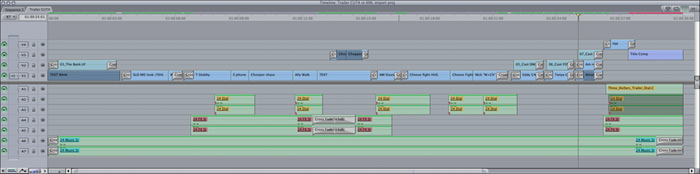
First here's my FCP 4.5 sequence:
And here's my FCP5.0 sequence:
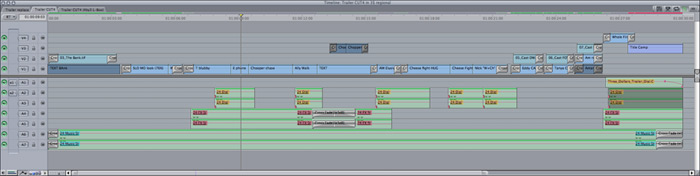
Everything is where it should be, and
my effects are all in place.
The only real difference is that in FCP4.5, I have less RT.
Those with eagle eyes will see some very minor discrepancies
in the transitions, but it's only a display issue, and they played
exactly as intended.
WARNINGS / GOTCHAS:
FCP5 deals with audio in a new way, so
as to hook into the new multi-channel capabilities of QT7
Those with eagle eyes will see some very
minor discrepancies in the transitions, but it's only a display
issue, and they played exactly as intended.
Stereo clips are fine for travelling
backwards.
All the clips I had used in the example above were stereo files
But if you capture audio in FCP5, as
Ch1+Ch2, and try to use those clips in FCP4, weirdness can ensue!
XML imported browser clips will only have ONE "mono mix"
audio track.
Same goes if you manually import the FCP5 captured clips into
an FCP4.5 project
The weird thing for me was that I only got the RIGHT channel.
very unexpected
XML imported clips in the timeline will
LOOK like they have both tracks, but you only hear one of them.
And if you match-frame from them, they appear in the viewer with
only one mono track.
Dragging the clips to the browser and then loading in the viewer,
or dragging back into the timeline, doesn't fix things, either
WORKAROUND
If you have to work like this, and you
can get by with the audio formatted as mono mix like that, you
can.
You can rescue the audio by re-opening your project in FCP5,
and STAYING THERE.
(ok if you can finish in FCP5)
The missing tracks don't come back straight
away.
It is not that simple, unfortunately
Trying this out I found:
Once the audio has been re-formatted to one track in an FCP4.5
timeline, it stays that way when the project is opened in FCP5.
The single track is now the left track,
though. (!)
That's just the clip on the timeline,
of course.
The file still has both tracks of audio in it.
You don't "lose" the audio from the file, you just
lose access to it in FCP4.5
It can be "rescued" in the
usual way once you are back in FCP5:
f, F10
That's f to match-frame into the
viewer, where you'll get all the tracks,
F10 to overwrite back into the timeline.
Your playhead winds up at the head of the next clip ready for
you to do it all over.
Keep going till you've done the lot.
If all your cuts are level sync, you
can do picture and sound at the same time, and you'll wind up
with linked pic/sound clips.
If you've got a lot of split edits, then
turn off all pic tracks, or lock them all, and just do sound.
Anyway, the track that comes back is
OFFLINE, or looks that way.
You can reconnect, and all is now there.
Alternatively, you can reconnect in the browser, and then do
the f + F10 trick.
I wont pretend to know much about XML,
or FCP's particular form of it. The Log report, for instance
didn't mean much to me. This didn't stop me from easily taking
my FCP5 project back to FCP4, and for those who are interested,
there is a chapter in the FCP manual that goes into detail about
how to read an XML file, and useful ways of modifying it.
That's Volume IV, Chapter 12 Importing and Exporting Final Cut
Pro XML, pages 163 - 171
NICK MEYERS
is a Freelance Film Editor working in Sydney, Australia
He won an Australian Film Critics Award and IF Award for
editing THE BANK, and gained an AFI nomination for editing his
first feature THE BOYS in 1998.
In 2004 he edited the film THREE DOLLARS,
staring David Wenham, Frances O'Conner, and Sarah Wynter, which
at the time was the biggest budgeted feature film cut on Final
Cut Pro in Australia.