| Review:
Color Correcting DVD Tutorial for Final Cut Pro 3 |
 February, 2003
Color
Correction for Final Cut Pro
Color Correcting DVD Tutorial for Final Cut Pro 3
By DigitalFilm
Tree
System requirements: DVD ROM drive.
Price $ 69.95
Ship Date: February 14, 2003
Review By Ken
Stone
The Final Cut Pro 3 release was packed
with some very powerful Color Correcting tools. Two and Three
way Color correctors, Range Check tools, Broadcast Safe filters
and a Tool Bench full of scopes. For the experienced and seasoned
Colorist, having these tools was all that was needed. But what
about the rest of us?
Been a long time coming, but like
all good things, it has has been worth the wait. I just received
the 'Color Correcting DVD Tutorial for Final Cut Pro 3' from
DigitalFilm Tree, hosted by Steve Martin. It is obvious that
a great deal of time and work (and love) went into building this
product. It is well planned and executed, with a run time of
1 hour and 47 minutes. The DVD also contains about 2 gigs of
companion tutorial material, DV NTSC. Drag this folder from the
DVD to your hard drive, open and simply click on the Project
file. FCP will launch the project, the Browser will contain all
the clips you need to work in tandem with the lessons.
Each area of importance has been
broken down into its own lesson. Navigation through the tutorial
works well, the production values are very high, the writing
exceptional. With Steve Martin as our host and instructor, the
classes are enjoyable. Okay, lets take a look.
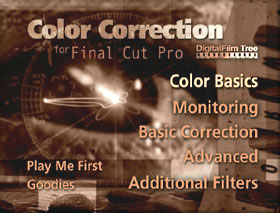
Color Correcting for FCP is divided
into Five basic sections or topics, each section is divided into
lessons.
- Color Basics
- What is Color
- Goals of Color Correcting
- Calibrating Your Monitor
- Monitoring
- Using Video Scopes
- Using Range Check
- Basic Correction
- Using the Basic Corrector
- Advanced
- Using the 3-Way Corrector
- Secondary Correction
- Additional Filters
- Broadcast Safe Filter
- Desaturate Filter
Color Basics
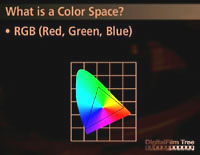
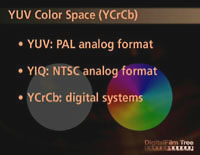
'What is Color'. The first
lesson is a basic primer on color. Starting off with basic color
theory, what color is and how humans perceive color, we then
move on to Color Space, how computers and video utilize color
space. Attributes of color, hue and saturation are also demonstrated.
Basically a lesson in Chrominance.
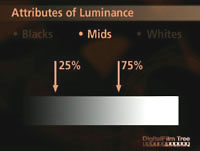
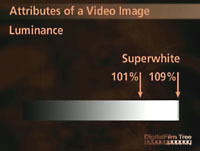
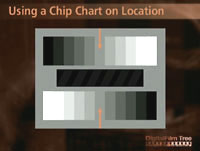
Another lesson to be learned is that
Luminance is the other element to the color correction equation.
The attributes of Luminance, the values; blacks, midtones, highlights,
and the topic of superwhite are all dealt with as well as the
chip chart and how to use it with the FCP Color Correction tools
to achieve good color.
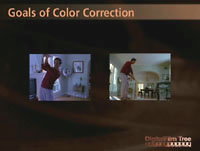
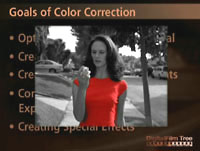
'Goals of Color Correcting'. The why of Color Correcting,
with discussions and demonstrations of the different types of
work that can be done with the Color Correcting tools. Workflow,
correcting white balance and exposure, scene matching, Broadcast
Legal, color mood and special effects.
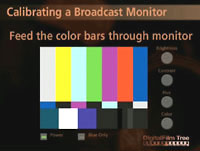
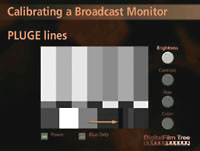
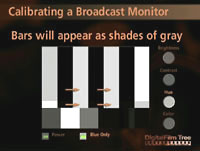
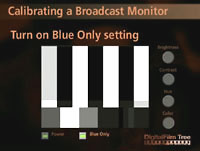
'Calibrating Your Monitor'. If you have ever read the
monitor calibrating section in the FCP manual you will know why
so many never calibrate. Now we have 'on screen' step by step
instructions. You open FCP and load in the provided NTSC or PAL
color bars, watch the DVD for the first step, pause the DVD make
the adjustment to your monitor, then back to the DVD and so on
until you have completed the process. This makes something that
seems very complicated and difficult, an easy chore. No more
excuses, calibrate your monitor.
Monitoring
Scopes.
Understanding and using the four FCP scopes is essential to professional
color correction. In this section each scope is explained in
full detail and the supplied tutorial material is used to demonstrate
the proper procedure and workflow.
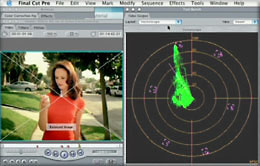
Vector Scope |
|
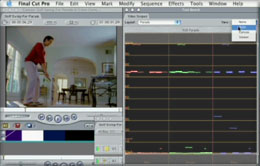
RGB Parade Scope |
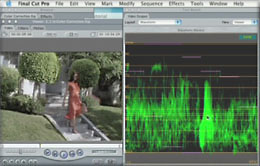
Waveform Monitor |
|
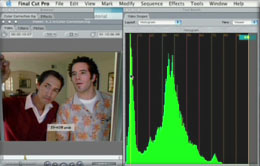
Histogram |
Range Check. This tool, in conjunction with the scopes
and color correction filters, enables you to test and correct
chroma and luminance values to ensure Broadcast Safe output.
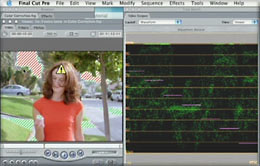
Range Check - Luminance
warning Zebra stripes - Waveform monitor |
|
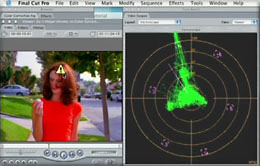
Range Check showing excessive
chromanance - Vectorscope |
Basic Correction
Color Corrector This section covers the Color Corrector
tool and its use in the color correcting process. This tool is
different from the 3-Way color correction tool; it does not have
color balance controls for blacks, mid tones, and white, but
does have a separate color wheel for the adjustment of the Hue
of your image. This tool is also more likely to support Real
Time Preview depending on your hardware.
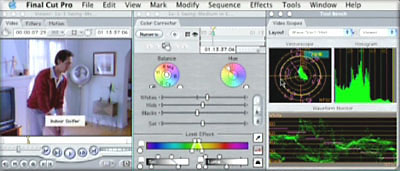
Advanced
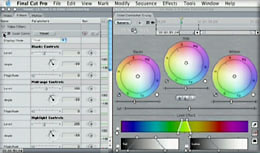
Using the 3-Way Corrector. The top section of the 3-Way tool is
used for primary color balancing of the image and provides two
views; visual and numeric.
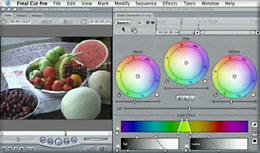
Secondary Correction The lower section 'Secondary Correction'
(Limit Effect) is for the isolation and adjustment of a single
color. This can be used to change the color of an object in the
image or to acheive a special effect like in the movie Pleasantville.
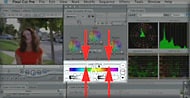
Utilizing the 'Limit Effect'
section |
|
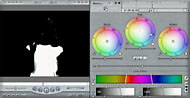
Switched to Matte mode |
|
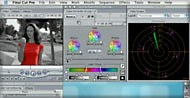
Matte inverted - background
destaurated |
Additional Filters
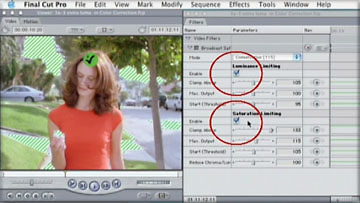
Broadcast Safe Filter This filter used with the Range Check
tool will enable you to ensure that your video will be Broadcast
Safe for Television.
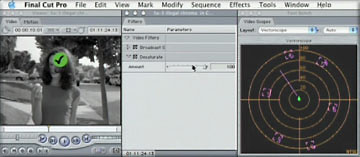
Desaturate Filter This simple filter is use in conjunction with
the other tools and the scopes to control the amount of saturation
in the image. Simple but important.
Conclusion
While this DVD tutorial is the first
to come out, it is so good that it may, in fact, be the last
(grin). I have to admit that I am very taken with this tutorial.
The first time through I would suggest that you sit back and
watched the entire show. Then go back through it again doing
the exercises with the provided material. Running FCP and the
tutorial at the same time, it is easy to understand and put into
practice the 'on screen' DVD lessons.
The reason that this 'Color Correction'
tutorial succeeds so well is simply the quality and clarity of
the lessons and its excellent organization. DigitalFilm Tree
has set a very high standard. You really have to view this product
to see how good the tutorials are.
Enjoy,
--ken
Review copyright
© www.kenstone.net 2003
This article first appeared on www.kenstone.net and is reprinted here
with permission.
All screen captures and
textual references are the property and trademark of their creators/owners/publishers.