| Review: Inside Final Cut Pro 5 |
August, 2005
"Inside
Final Cut Pro 5"
2
DVD Rom Set - $99.00 (lafcpug price - $84.15)
Updated Disc - $49.00 (lafcpug price - $41.65)
By DMTS
Purchase in the lafcpug Store
Review by Steve
Douglas
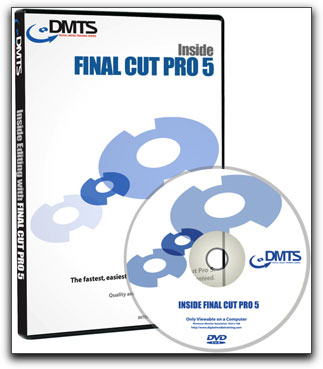 With the advent of Final Cut Studio including the new version 5 of Final Cut Pro there have been many scrambling to discover the latest books and tutorials covering the assemblage of new features and editing advantages now available to them. The Digital Media Training Series has just begun shipping the first of a suite of training tutorials found within the Final Cut Studio. There are two ways you might purchase this tutorial, "Inside Final Cut Pro 5" which contains 2 DVD-Roms and provides 10.5 hours of instructional time sells for the fair price of $99.00. However, if you should already have purchased their Inside 4 or HD 4.5 disc, a Final Cut Pro update disc is available for only $49.00. The disks are aimed at every skill level of Final Cut Pro user though I believe the intermediate or advanced user would benefit most due the frequent dialogue and discussion that I believe might pass over the beginners head, thus confusing him/her.
"Inside Final Cut Pro 5" can be used in a couple of different ways. Once the disc is installed you may scroll the interface and jump from chapter to chapter as you desire. The window is easy to manipulate by highlighting the umbrella subjects which then open to the different chapters under each subject. This window is roughly 10" by 8" and cannot be resized. However, you can also go to the individual movies in Quicktime that make up the discs sections and view them independently. These Quicktime movies may be sized to any dimensions that you like making it easy to work with the tutorials at the same time that your own FCP is open.
"Inside Final Cut Pro 5" is an updated version of "Inside FCP 4" and "Inside FCP HD 4.5" and while the 5 version covers all the new features of 5 very thoroughly, many of the lessons from version 4 and HD 4.5 have not been changed. For example, the Dynamic setting in the timeline applicable to FCP 5 is not displayed in the discussion found in the Color Correction lesson from the original Version 4. There, references to the settings under the RT button show how to set up under version 4 and 4.5 and not 5. Thus, as you work through the disk's many lessons, some of what you have learned will be added to in lessons further down the line.
This tutorial disc is certainly comprehensive covering just about every aspect of using Final Cut Pro including all the introductory basics such as an intro to the standard interface layout, to the log and capture media methods, on to a very in depth exploration of color correction, compositing and animation. "Inside Final Cut Pro 5" doesn't just stop there. Unlike many other tutorial discs of this type, Digital Media Training progresses onto several lessons regarding the use, editing and output of audio, utilizing Cinema Tools and Compressor for use in DVD production and web streaming. Again, the Digital Media disc is very complete in its discussions and explorations. This is not a disc that you will be able to or want to sit down and listen to from beginning to end. The tutorials on HD and HDV are quite complete and will take a listening or two to completely assimilate. However, this is a good thing. There is much confusion today as to the nature of HD and HDV, its workflow, acquisition and output. Inside Final Cut Pro 5 takes the listener towards a considerably greater clarity of this topic. Each tutorial section goes far beyond the mere following of a given projects media files where sometimes, though the steps are completed, you might not yet have the knowledge as to why you took them. I have seen that approach in several other company's tutorial discs and did not always feel that the user would know why he/she was taking the steps they'd been asked to. This is not the case with Inside Final Cut Pro 5. In fact, this tutorial disc is discussion heavy with full explorations of the given topic. There were times I would think "Get to the specific instructions, already', but then realized that by bypassing the reasoning one 'catches the fish without learning how to fish'. Digital Media has found an excellent balance.
Steve Douglas, is an underwater videographer and contributor to numerous film festivals around the world. A winner of the 1999 Pacific Coast Underwater Film Competition, 2003 IVIE competition, 2004 Los Angeles Underwater Photographic competition, and the prestigious 2005 International Beneath the Sea Film Competition, Steve has also worked on the feature film "The Deep Blue Sea", contributed footage to the Seaworld parks for their Atlantis production, and is one of the principal organizers of the San Diego UnderSea Film Exhibition. Steve leads both underwater filming expeditions and African safaris with upcoming filming excursions to Kenya, Bali and the Red Sea. Feel free to contact him if you are interested in joining Steve on any of these trips. www.worldfilmsandtravel.com
copyright © Steve Douglas 2005
Inside Final Cut Pro 5 is available at the lafcpug Store
This article first
appeared on www.kenstone.net and is reprinted here
with permission.
All screen captures and
textual references are the property and trademark of their creators/owners/publishers.